Global Task Manager
Transforming a high-friction legacy feature into a streamlined, centralized safety task hub—using intuitive IA to eliminate user confusion and slash support tickets.
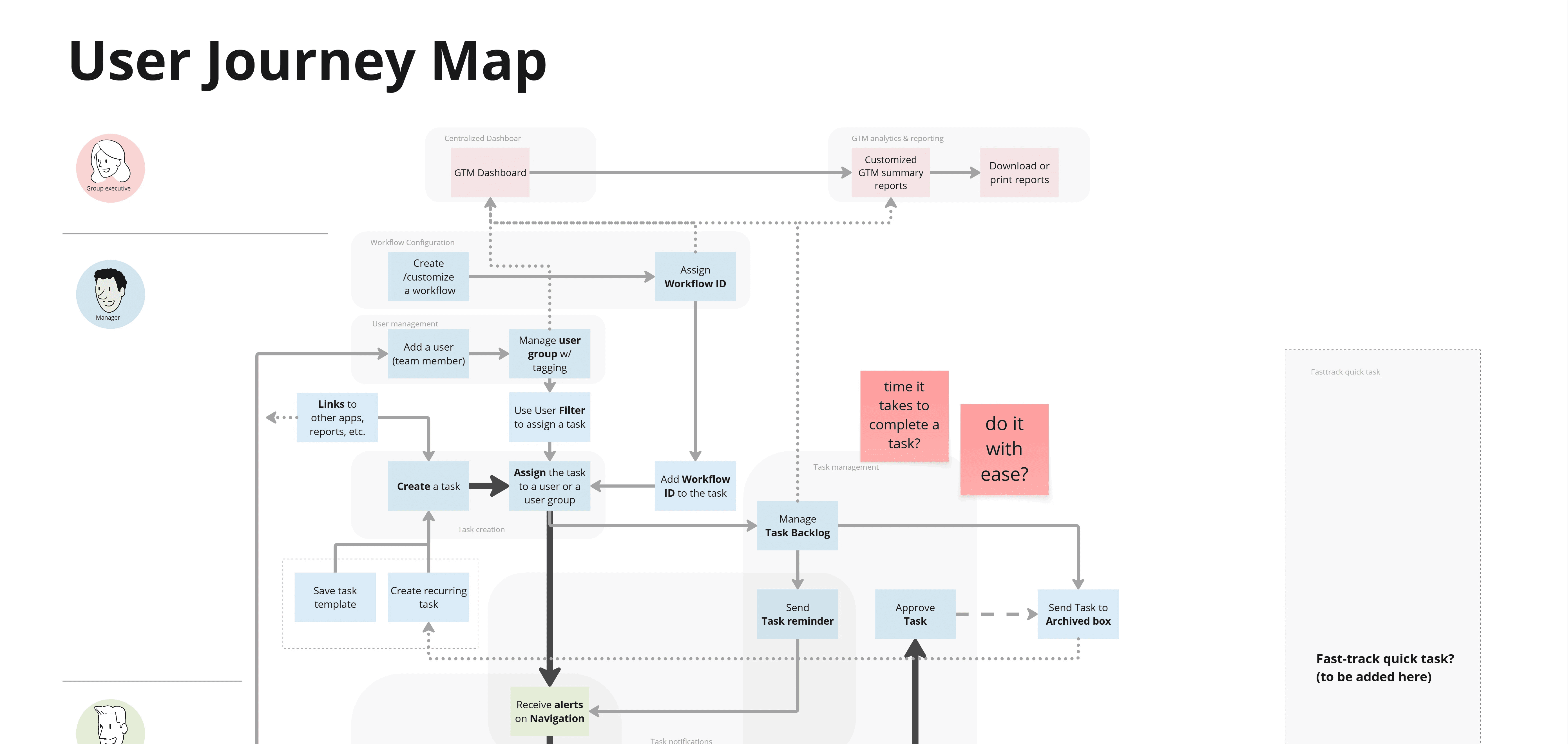
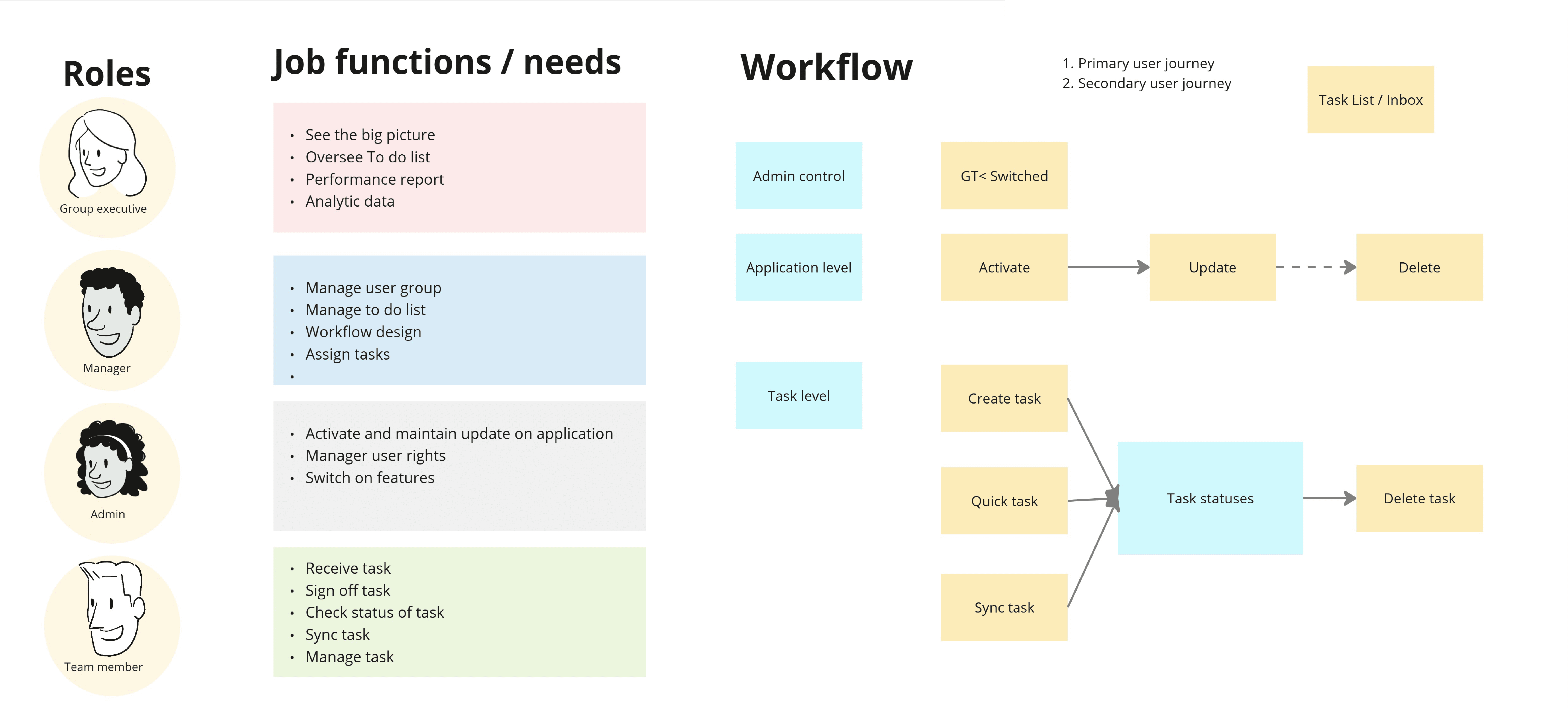
Challenges
The legacy Global Task Manager (GTM) was one of the platform's most confusing features, generating a high volume of support tickets. Users found the interface overwhelming and struggled to identify task ownership, requiring a complete UX overhaul to centralize task management while drastically improving usability across all user levels.
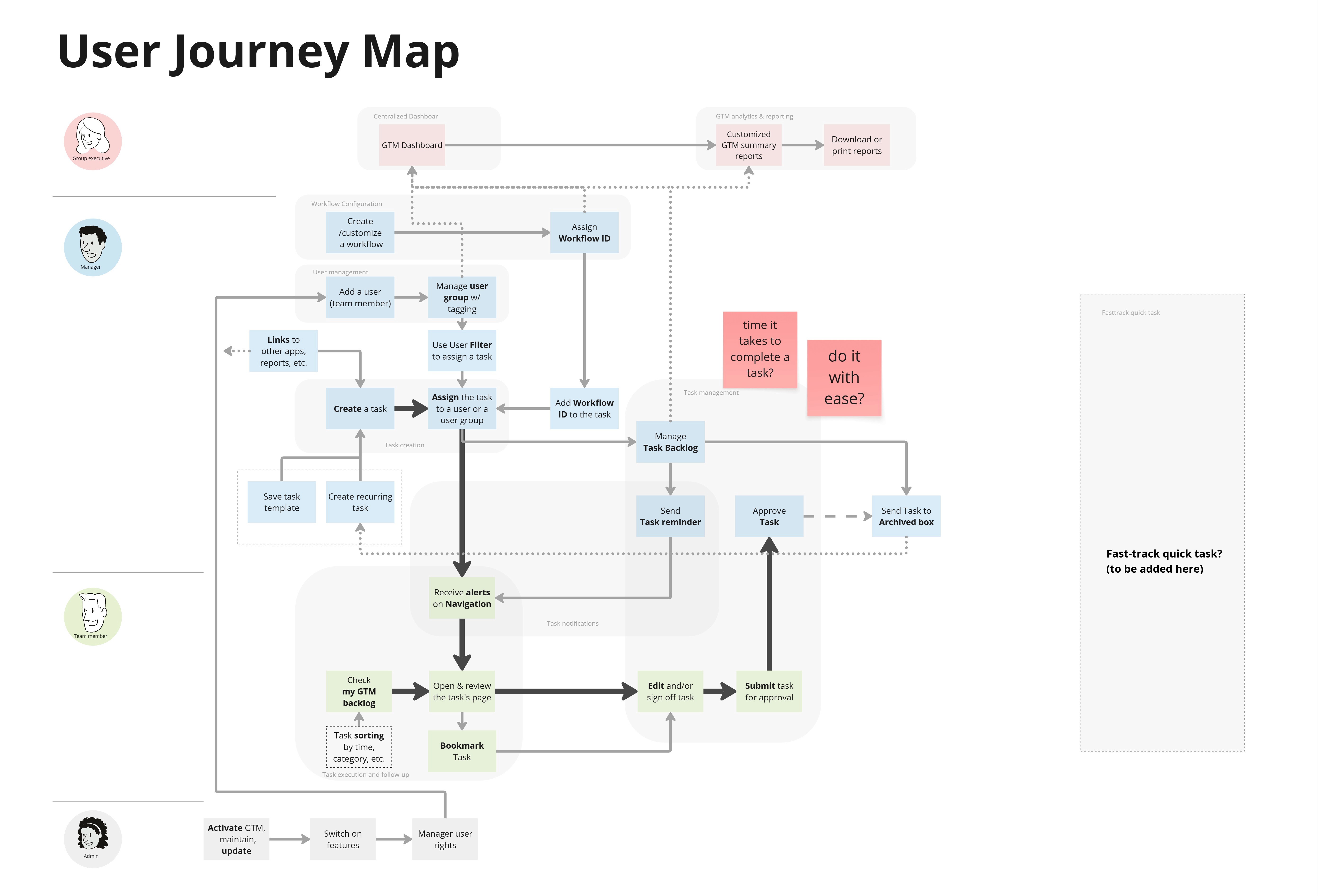
Objectives
Centralize Action: Create a single hub for identifying tasks with clear deadlines and direct links.
Seamless Integration: Transition to an "app-like" experience within the existing Application Drawer.
Reduce Cognitive Load: Eliminate confusion regarding task types and ownership.
Standardize UI: Align with global search and table standards to ensure platform-wide consistency.
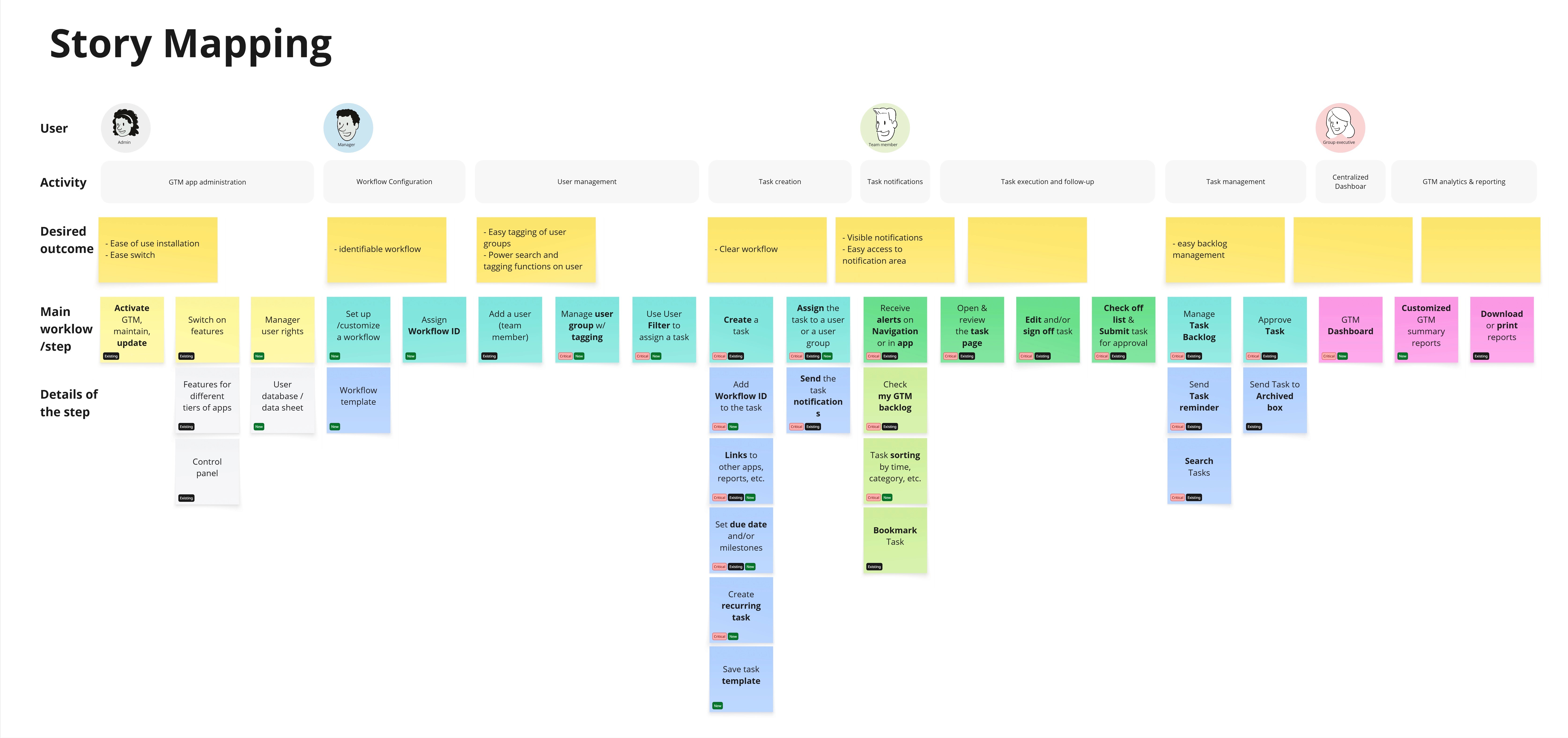
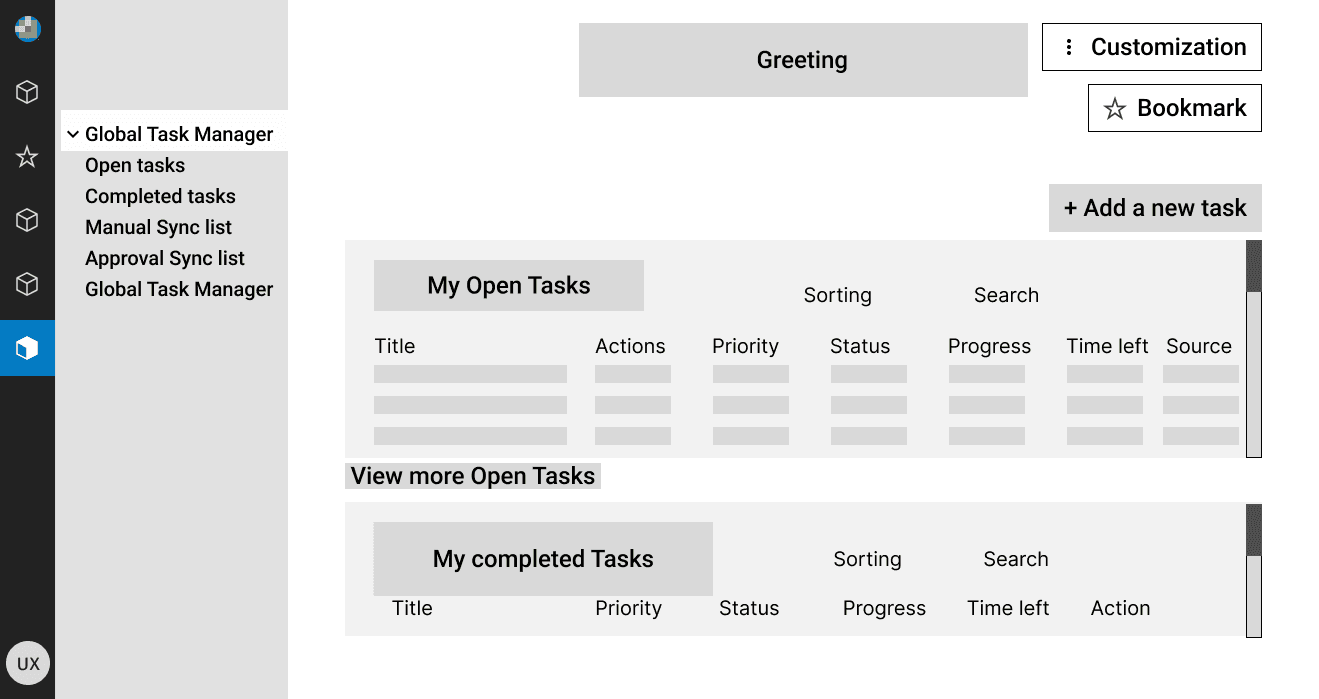
Design Solutions
Strategic Navigation
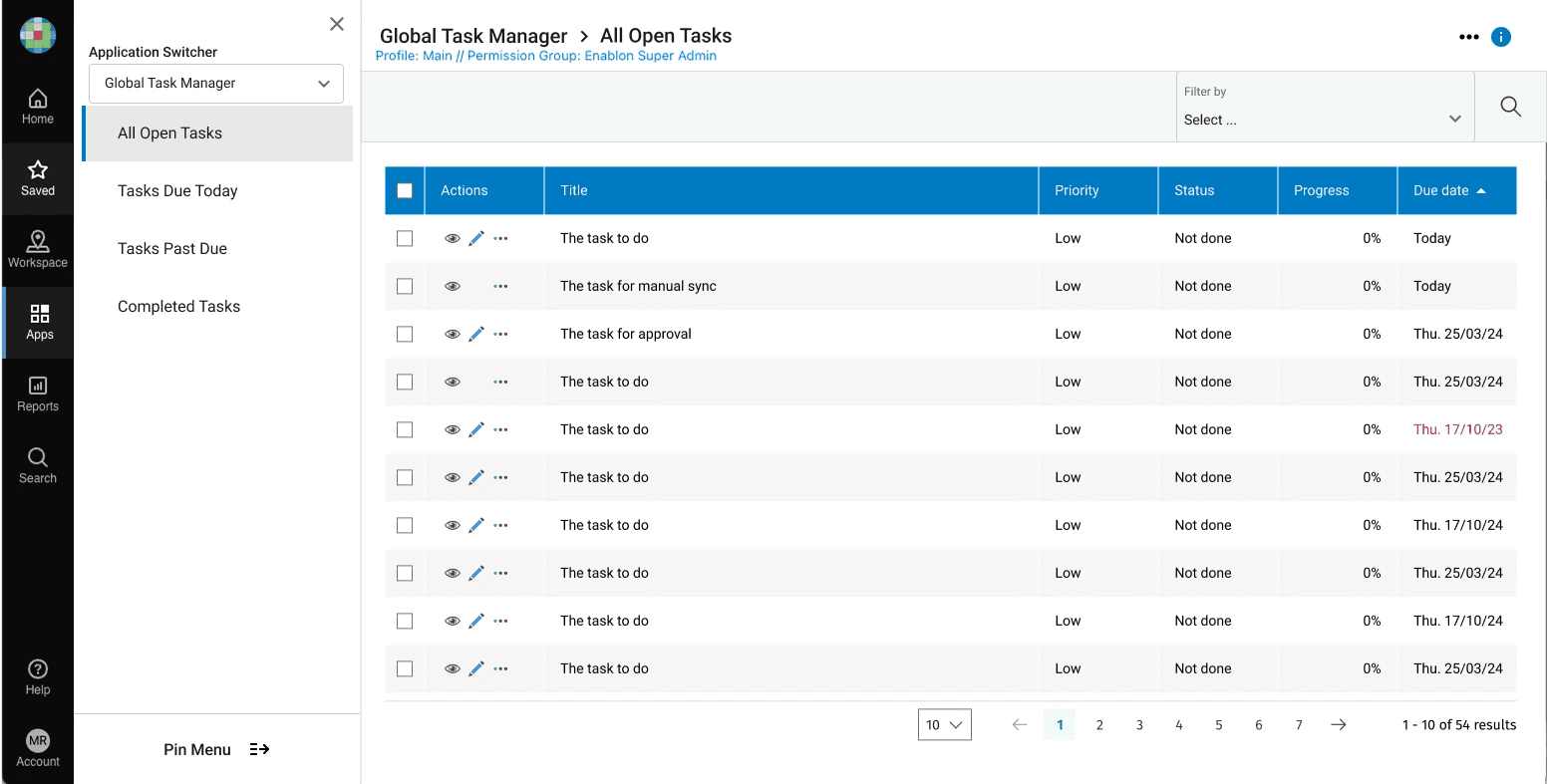
Moved GTM into the application drawer, treating it as a standard app to align with the platform’s navigation hierarchy and user mental models.
Simplified Information Architecture
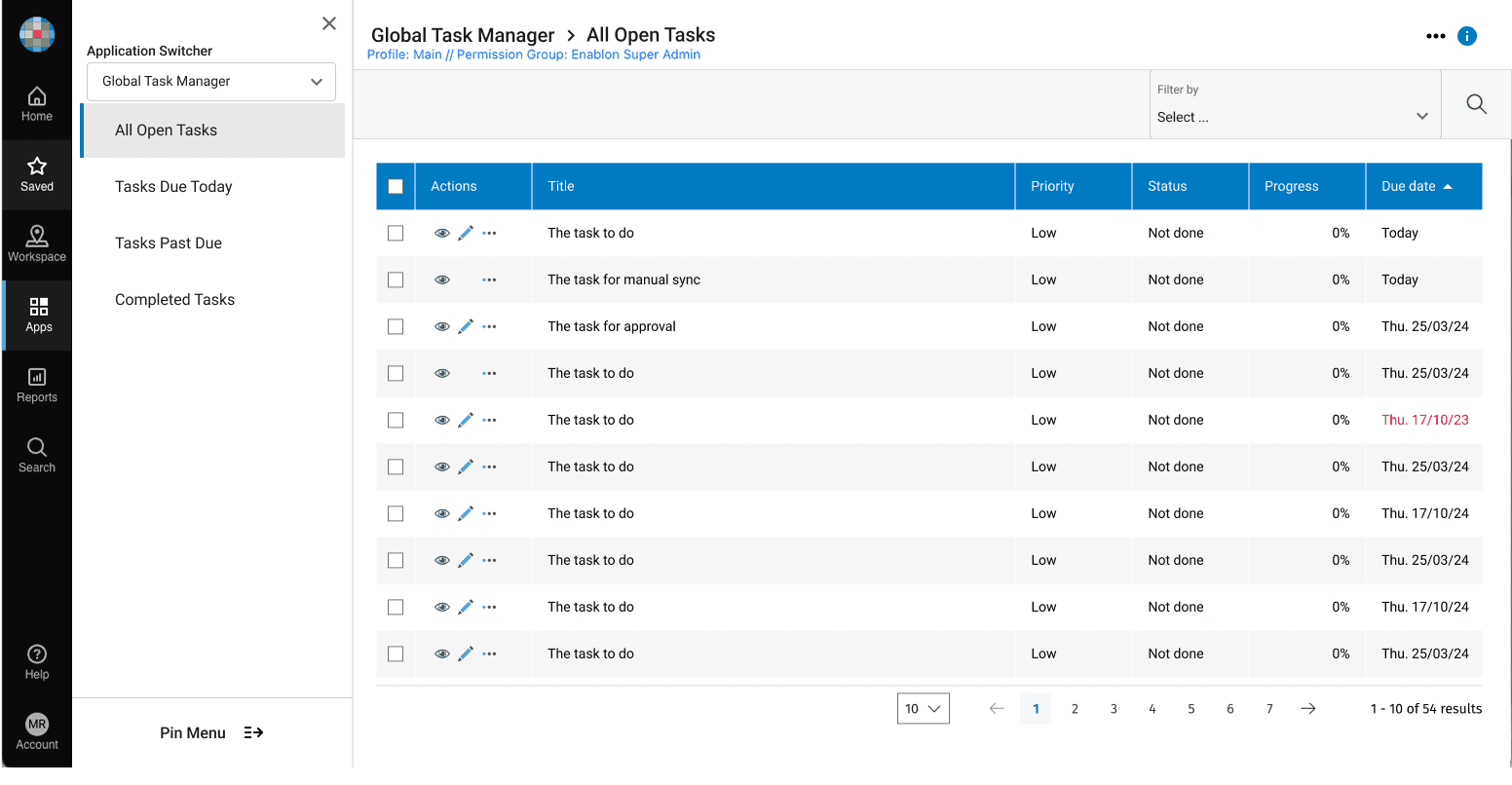
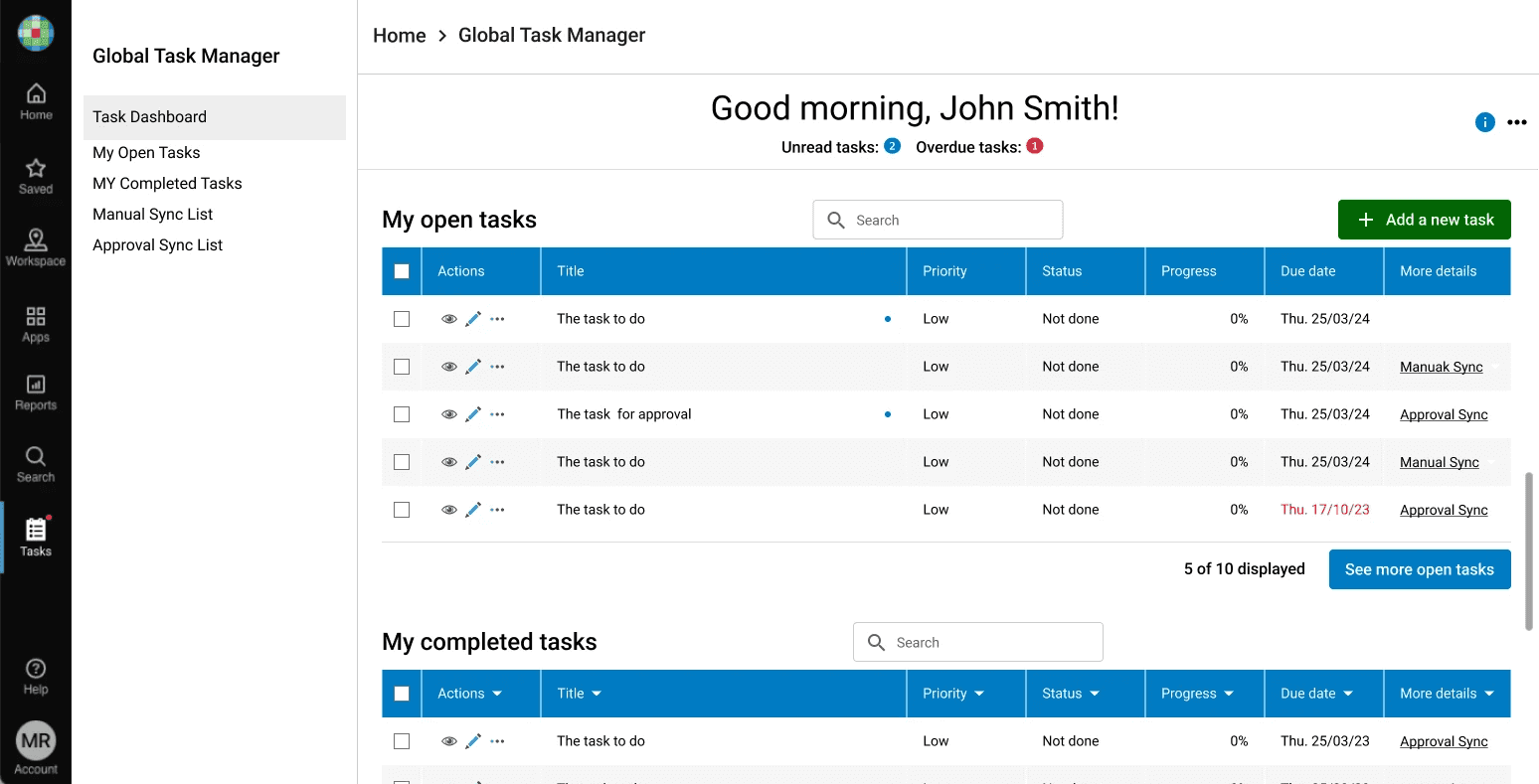
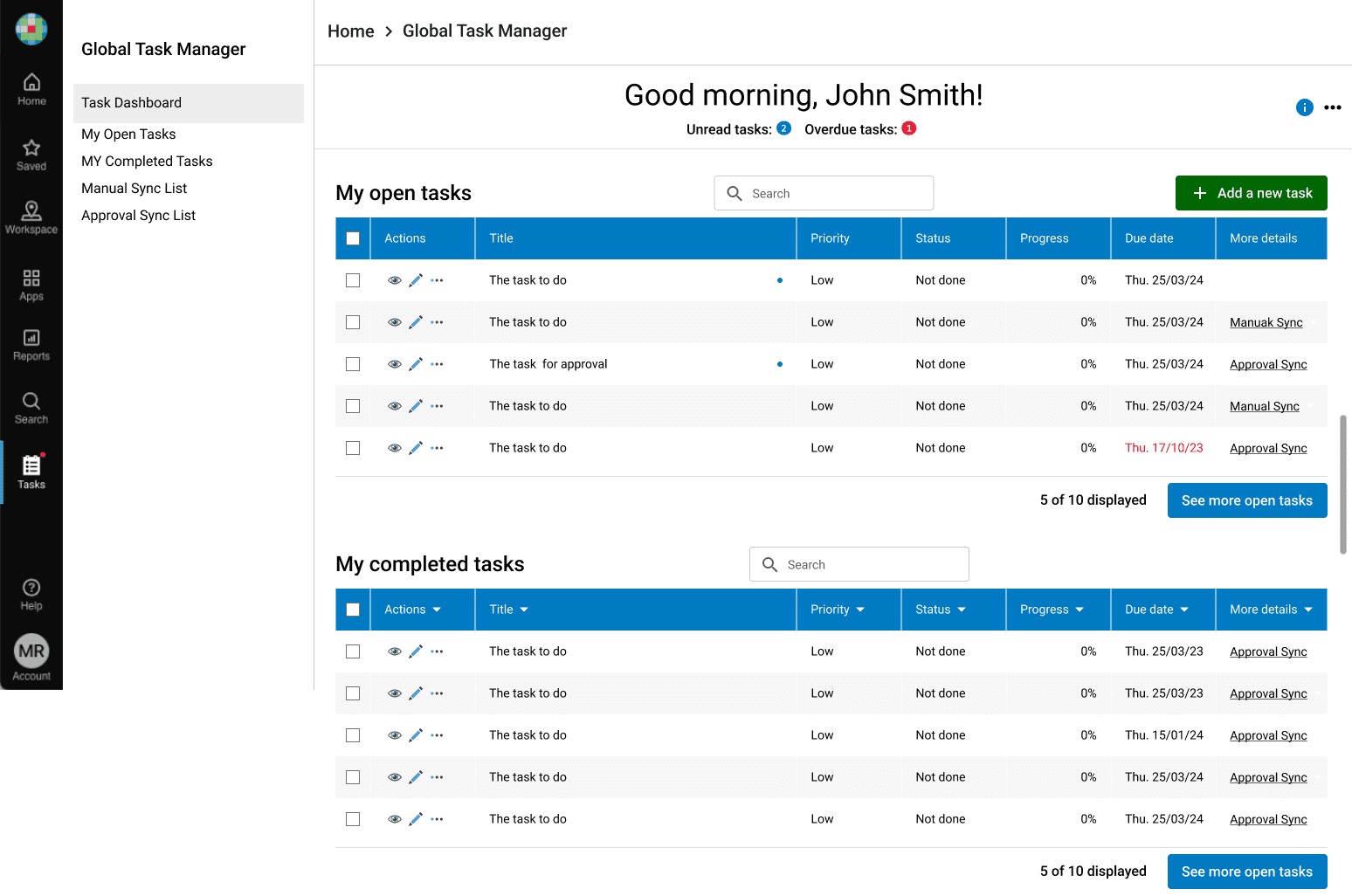
Focused Views: Redesigned the layout to show one focused task list per screen, clearly separating open and completed tasks.
Natural Language Cues: Implemented human-readable deadlines (e.g., "due in 2 days") and red urgency badges to make priorities immediately clear.
Reduced Cognitive Load
Used progressive disclosure to hide low-value metadata—such as Manual and Approval Sync sources—within "More" menus, keeping the main interface focused on actionable items.
Platform Consistency
Integrated standard quick filters (Today, 14 Days, 30 Days) to avoid introducing non-standard patterns that increase user learning curves.
Impact
Feature Transformation:
Converted a problematic legacy tool into a streamlined, high-performance task management hub.Reduced Support Burden:
Dramatically lowered support tickets by eliminating UI ambiguity and ownership confusion.Operational Efficiency:
Provided users with a clear, centralized view of their responsibilities, enabling faster task completion through direct-action links.